How long will a power station run a laptop?
A laptop draws about 60 W while you use it, so a 1 kWh power station like the Bluetti Elite 100 V2 runs it for about 15 hours, and even a small 293 Wh unit like the Jackery Explorer 300 gets about 4.2 hours. To get online, the Wi-Fi has to stay on too, which brings the total to about 75 W.
On this page

5-year maker warranty · checkout and delivery on Amazon
Complete the kit: 200 W Anker SOLIX solar panel · 12-gauge extension cord · Kill A Watt meter
 Jackery Explorer 300293 Whtoo small
 Goal Zero Yeti 500499 Whtoo small
 Goal Zero Yeti 700677 Whtoo small
 Bluetti Elite 100 V21,024 Wh1.2 days
 Anker SOLIX C1000 Gen 21,024 Wh1.2 days
 EcoFlow DELTA 31,024 Wh1.2 days
 Jackery Explorer 1000 v21,070 Wh1.3 days
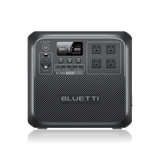 Bluetti AC1801,152 Wh1.4 days
 Goal Zero Yeti 15001,505 Wh1.8 days
 Anker SOLIX S20002,010 Wh2.4 days
 Jackery Explorer 2000 v22,042 Wh2.4 days
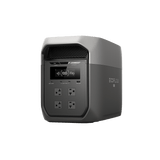 EcoFlow DELTA 3 Max2,048 Wh2.4 days
 Anker SOLIX C2000 Gen 22,048 Wh2.4 days
 Bluetti Elite 200 V22,074 Wh2.4 days
 Bluetti Apex 3002,765 Wh3.3 days
 Bluetti Elite 3003,014 Wh3.6 days
 Jackery HomePower 30003,072 Wh3.6 days
 Anker SOLIX F3800 Plus3,840 Wh4.5 days
 Goal Zero Yeti PRO 40003,994 Wh4.7 days
 EcoFlow DELTA Pro 34,096 Wh4.8 days
Hours and days per charge
| Unit | Battery | Laptop alone | Laptop and Wi-Fi | Days (6 h a day, laptop and Wi-Fi) | Price when checked |
|---|---|---|---|---|---|
| Jackery Explorer 300 | 293 Wh | 4.2 hours | 3.3 hours | less than a day | $289 |
| EcoFlow RIVER 3 Plus | 286 Wh | 4.1 hours | 3.2 hours | less than a day | $299 |
| Bluetti Elite 100 V2 | 1,024 Wh | 15 hours | 12 hours | 1.9 days | $549 |
| Jackery Explorer 1000 v2 | 1,070 Wh | 15 hours | 12 hours | 2 days | $559 |
| EcoFlow DELTA 3 Max | 2,048 Wh | 1.2 days | 23 hours | 3.8 days | $879 |
| Jackery HomePower 3000 | 3,072 Wh | 1.8 days | 1.5 days | 5.8 days | $1,499 |
Runtime = capacity × 85% inverter efficiency ÷ watts. A day here is 6 hours of laptop use with the Wi-Fi on for those hours. A full workday with phones too is on the working-from-home page.
Any unit can charge a laptop
A laptop has no motor, so there is no startup surge: it peaks around 90 W while charging hard, which every unit we track can supply, down to the 300 W Jackery Explorer 300. Battery size is the only number that matters. A gaming laptop or a mobile workstation draws more; the watts on its charger brick are the most it can pull.
Make the battery last
- Charge from USB-C if you can. The 85% in the table is mostly the inverter turning battery power into wall power. Charging a USB-C laptop straight from a USB-C port rated for its watts skips that step, so you get more hours than the table shows.
- Charge it, then unplug it. The laptop has its own battery. Fill it, work on battery, and plug back in when it runs low, so the power station's inverter is not idling all day.
- Turn the screen down. The screen is one of the biggest draws, and a dimmer screen and fewer open apps both stretch the hours.
- Save the battery for the fridge first. A full-size fridge averages about 45 W, so one 6-hour day of laptop and Wi-Fi costs about 10 hours of fridge time. See how long a power station runs a fridge, or size the whole list with the watt-hour worksheet.
The units that fit
We earn a commission if you buy through these links. It does not change the ranking (how we rate).

C1000 Gen 2
Cheapest unit that covers the laptop and Wi-Fi and modem for about 1.2 days.
5-year maker warranty · checkout and delivery on Amazon
Spec source
Yeti 1500
Extra headroom: about 1.8 days on one charge.
5-year maker warranty · checkout and delivery on Amazon
Spec sourceFull specs and runtimes: Anker SOLIX C1000 Gen 2, Goal Zero Yeti 1500.
Prices are each maker's own store price on the date shown on each card; buy links go to Amazon, where the price can differ, and Bluetti units also link to Bluetti's own store. Adjust the devices and days in the finder for your own numbers, or see all 22 models.
Common questions
Will a power station damage my laptop?
No. All the units we cover produce pure sine wave AC, the same as the grid, and the laptop charger does the rest, the same as at the wall.
Can I charge my phone and laptop at the same time?
Yes. Phones add only about 10 W while charging, so they barely change the hours above. See <a href="/guides/power-station-for-charging-phones-in-an-outage">how many phone charges each size gives</a>.
Power is one part of the plan. The full power outage checklist covers water, food, light, heat and safety.